OpenCode: The Open Source AI Coding Agent That Actually Works (2026 Complete Guide)

AI coding agents have moved from novelty to necessity in 2026. With 85% of developers now using AI tools daily and AI generating roughly 46% of all new code, choosing the right agent shapes how fast you ship — and how secure your code is.
OpenCode is one of the most interesting tools in this space: a fully open-source, terminal-native AI coding agent that works with 75+ AI models and stores none of your code. It has attracted 143,000+ GitHub stars in under a year and is the go-to choice for developers who want power without sacrificing privacy or control.
This guide covers everything you need to know: what OpenCode is, how it works, how to install and set it up, how it compares to Claude Code, GitHub Copilot, and Cursor — and exactly who should (and shouldn’t) use it.
Key Technical Features
- LSP Integration — Language Server Protocol support means OpenCode understands your code with the same intelligence as your IDE — type information, references, diagnostics — giving the AI better context for its edits.
- Multi-Session Support — Run multiple parallel agent sessions on the same project simultaneously. This is unique among CLI tools and enables true parallel agentic workflows.
- Undo / Redo — The /undo and /redo commands let you revert or reapply AI edits instantly, without touching Git. A critical safety net for agentic workflows.
- Session Sharing — Share conversation sessions with teammates via a generated link. Conversations are private by default — sharing is always explicit and opt-in.
- MCP Support — Integrates with both local and remote MCP (Model Context Protocol) servers, extending what the agent can do — connecting to databases, APIs, file systems, and other services.
- Custom Commands — Create reusable prompt macros stored as Markdown files. Useful for enforcing team coding standards or automating repetitive instruction patterns.
- Image Input — Drag and drop images (wireframes, error screenshots, UI mockups) directly into the terminal to include them in your prompt.
- Non-Interactive Mode — Run OpenCode with a single prompt via the -p flag for scripting and CI automation without launching the full TUI.
| Quick Answer: What Is OpenCode?OpenCode is a free, open-source AI coding agent built for the terminal. It was created by Anomaly Innovations (the team behind terminal.shop) and is written in Go. OpenCode integrates with 75+ AI model providers — including Claude, GPT, Gemini, and local models — without storing your code or context data. It is available as a CLI tool, a desktop app, and an IDE extension for VS Code, Cursor, Neovim, JetBrains, and Zed.GitHub: github.com/anomalyco/opencode | Stars: 143,000+ | License: MIT | Price: Free (open source) |
Building with Opencode? SSNTPL builds custom AI integrations, agentic workflows, and enterprise AI solutions. Talk to our team →
What Is OpenCode and How Does It Work?
OpenCode is not a chatbot you paste code into. It is an agentic coding assistant — a program that understands your codebase, takes multi-step actions (reading files, writing code, running commands, executing tests), and iterates on its own until a task is complete, with your approval at each step.
At its core, OpenCode runs a client/server architecture. The backend server handles AI model communication, tool execution, and session storage using a local SQLite database. The frontend — which can be the terminal TUI, a desktop app, or an IDE extension — is just one way to interact with that server. This design means you could, in theory, drive your local OpenCode instance from a mobile app while the computation runs on your laptop.
The Two Built-In Agents
OpenCode ships with two primary agents you switch between using the Tab key:
- Build (Default) — Full access to all tools — reads, writes, and edits files, runs shell commands, searches your codebase. This is your main coding agent for feature development and refactoring.
- Plan (Read-Only) — Analyses and suggests changes without touching any files. Use this to review a plan before committing to execution, or to explore an unfamiliar codebase safely.
Beyond these defaults, you can create custom agents by writing a Markdown config file. A custom Review agent, for example, can be configured to provide feedback without making changes — useful for code review workflows.
How to Install OpenCode (All Platforms)
OpenCode supports multiple installation methods. The quickest one-liner for most systems:
| # Universal installer (macOS, Linux)curl -fsSL https://opencode.ai/install | bash # npm / bun / pnpm / yarnnpm i -g opencode-ai@latest # macOS (Homebrew — recommended, always up to date)brew install anomalyco/tap/opencode # Windows (Scoop)scoop install opencode # Windows (Chocolatey)choco install opencode # Arch Linux (Stable)sudo pacman -S opencode # NixOSnix run nixpkgs#opencode |
A desktop application is also available for download at opencode.ai/download and via:
| # macOS desktop app (Homebrew)brew install –cask opencode-desktop # Windows desktop app (Scoop)scoop bucket add extras; scoop install extras/opencode-desktop |
First-Time Setup: Connecting an AI Model
After installation, you need to connect at least one AI model. Run opencode in your terminal and use the /connect command in the TUI. You have two main options:
- OpenCode Zen (recommended): OpenCode’s own curated model service. Pre-tested, benchmarked specifically for coding agents, hosted in the US with zero data retention. Plans start at $5/month for OpenCode Go (open-source models) and custom pricing for Zen (premium models).
- Bring Your Own Key (BYOK): Use API keys from Anthropic (Claude), OpenAI, Google (Gemini), AWS Bedrock, Groq, Azure OpenAI, or any of 75+ providers via Models.dev. You pay provider rates directly.
| Using Existing SubscriptionsOpenCode lets you authenticate with your existing ChatGPT Plus/Pro subscription or GitHub Copilot subscription — you don’t necessarily need new API keys or a new account to get started. |
Initializing OpenCode for Your Project
Navigate to your project folder and run:
| opencode init |
This analyses your project structure and creates an AGENTS.md file in the project root. This file tells OpenCode about your codebase — the framework, conventions, important files, and coding patterns. Commit this file to Git so your whole team benefits from the same context.
Supported AI Models
OpenCode supports 75+ AI model providers through Models.dev integration. You are never locked to a single vendor — if one provider raises prices or changes terms, you switch without reconfiguring your workflow.
| Provider | Models Available | Best For | Pricing Model |
|---|---|---|---|
| Anthropic | Claude Sonnet 4.6, Claude Opus 4.6, Claude Haiku 4.5 | Complex reasoning, large codebases, architectural decisions | API pay-per-token |
| OpenAI | GPT-4o, GPT-4.1, o3, o4-mini | General coding, broad ecosystem familiarity | API pay-per-token |
| Gemini 2.5 Pro, Gemini 2.0 Flash | Very long context, document analysis | API pay-per-token / free tier | |
| AWS Bedrock | Claude, Llama, Titan models | Enterprise AWS environments, compliance | AWS pricing |
| Local via Ollama | Llama 3, Qwen, DeepSeek Coder, etc. | Full privacy, no internet required, zero API cost | Free (self-hosted compute) |
| OpenCode Zen | Curated benchmarked selection | Consistent quality without provider management | From $5/month |
| OpenCode Go | Kimi K2, Qwen3, MiniMax, GLM-5, MiMo | Low-cost open-source model access | $5 first month, $10/month |
| Model Performance NoteNot all models perform equally as coding agents. OpenCode’s Zen offering solves this by curating and benchmarking models specifically for agentic coding tasks — many highly-rated general models perform poorly when given multi-step coding instructions with file system access. If you’re using BYOK, start with Claude Sonnet 4.6 or GPT-4o for reliability. |
Privacy & Data Security
Privacy is OpenCode’s most important differentiator for regulated industries. Here is exactly what happens to your data:
| Data Type | What OpenCode Does With It | Your Control |
|---|---|---|
| Your source code | Never stored by OpenCode itself. Only sent to whichever AI provider you connect. | Choose a local model (Ollama) to keep code entirely on your machine. |
| Conversation history | Stored locally in a SQLite database on your machine. Not sent to OpenCode servers. | Delete sessions at any time. Export for backup. |
| Session shares | Off by default. You explicitly trigger /share to create a link. Shareable sessions can be un-shared. | Disable sharing at team level via config for sensitive projects. |
| Telemetry | None by default. OpenCode does not collect usage data. | No opt-out needed — it’s already off. |
| AI provider data | Governed by whichever provider you connect (OpenAI, Anthropic, etc.) | OpenCode Zen / Go models: providers follow zero-retention policy. |
| For Compliance-Sensitive TeamsHealthcare (HIPAA), financial services (PCI DSS, SOC 2), government contractors, and legal firms: use OpenCode with local models via Ollama. Your code, context, and prompts never leave your machine. This is the only AI coding setup that satisfies strict data residency requirements without purchasing an expensive enterprise SaaS contract. |
OpenCode vs. Claude Code vs. GitHub Copilot vs. Cursor
The AI coding agent landscape in 2026 has four dominant categories. Here is where OpenCode fits, with honest trade-offs:
| Factor | OpenCode | Claude Code | GitHub Copilot | Cursor |
|---|---|---|---|---|
| Category | Terminal CLI + Desktop + IDE ext. | Terminal CLI | IDE extension | Dedicated AI IDE |
| Price | Free (open source) | $20+/month (usage-based) | $10–$19/month | $20/month |
| Model flexibility | 75+ providers, full BYOK | Claude only | Limited (Claude, GPT) | Broad BYOM support |
| Privacy (max) | 100% local with Ollama | Code sent to Anthropic | Code sent to GitHub/MS | Code sent to Cursor |
| Open source | Yes — MIT license | No | No | No |
| IDE integration | VS Code, Cursor, JetBrains, Neovim, Zed, Emacs | CLI only (no native IDE) | All major IDEs | Own IDE (VS Code fork) |
| LSP support | Yes — full language intelligence | No | Yes (in IDE context) | Yes (in-IDE) |
| Multi-session | Yes — parallel sessions supported | No | No | No |
| Undo/Redo | Yes — /undo, /redo commands | Git-based only | No | Checkpoint system |
| MCP support | Yes | Yes | Limited | Limited |
| SWE-bench score | Depends on model chosen | 80.9% (Opus 4.6) | Varies by model | Varies by model |
| Best for | Privacy, control, model flexibility | Complex reasoning, hard problems | GitHub-heavy teams | Visual IDE experience |
When to Choose OpenCode
- Your code cannot leave your infrastructure (healthcare, legal, defence, government)
- Your team has 50+ developers and per-seat SaaS costs are a significant budget line
- You use Neovim, Emacs, or another terminal-native editor as your primary tool
- You want to run multiple parallel agent sessions on the same project simultaneously
- You need vendor flexibility — the ability to switch AI providers without workflow disruption
- You want to customise agent behaviour, enforce coding standards via custom agents, or build automation pipelines using the non-interactive mode
When OpenCode Is Not the Right Choice
- You want immediate productivity without setup: GitHub Copilot or Cursor are faster to start with
- You need the deepest codebase reasoning on genuinely hard problems: Claude Code (with Opus 4.6) currently leads here
- You prefer a visual, GUI-first coding experience with fast autocomplete: Cursor is the better fit
- Your team lacks the DevOps experience to manage local model infrastructure or API keys across developers
How to Use OpenCode Effectively: A Practical Workflow
Getting value from OpenCode is as much about how you prompt and structure your workflow as it is about the model you choose. Here is the workflow SSNTPL’s engineering team uses day-to-day:
Step 1 — Start With Plan Mode
Before making any changes to your codebase, switch to Plan mode (Tab key) and describe your task. OpenCode will analyse relevant files and propose an approach. Review the plan, correct misunderstandings, and ask questions. This step takes 5 minutes and prevents hours of cleanup.
Step 2 — Switch to Build Mode for Implementation
Once the plan is clear, switch to Build mode and confirm the task. OpenCode will start editing files, running commands, and checking results. Watch the output — you can interrupt at any point if the agent goes in the wrong direction.
Step 3 — Provide Specific Correction Prompts
When the first output isn’t right, correct specifically: “The login route is now returning 401 for valid tokens — the JWT verification logic is broken. Fix only that function without touching the rest of the auth module.” Vague corrections produce vague fixes.
Step 4 — Use /undo Freely
If an edit goes wrong, use /undo immediately. It reverts the change and returns you to your last prompt so you can refine it. You can chain multiple /undo commands to walk back several steps. This is much faster than manually reverting files.
Step 5 — Review Every Diff Before Committing
Run git diff before every commit. AI-generated code looks plausible but can introduce subtle bugs — especially in authentication, input validation, and error handling. A 5-minute review prevents hours of debugging.
| SSNTPL’s Engineering TipWe use OpenCode in non-interactive mode for automated tasks in our CI pipeline: running code analysis, generating draft changelogs, and checking for obvious security anti-patterns on every PR. The -p flag with -f json output makes it easy to parse results in scripts.Example: opencode -p “Review this diff for security issues” -f json -q |
OpenCode Use Cases by Developer Profile
| Developer Profile | How They Use OpenCode | Recommended Setup |
|---|---|---|
| Solo developer / freelancer | Full feature development, refactoring, documentation generation. No recurring SaaS cost. | BYOK with Claude Sonnet 4.6 or OpenCode Go subscription |
| Startup engineering team (5–20 devs) | Shared AGENTS.md for consistent context. Parallel sessions for multiple features simultaneously. | OpenCode Zen for consistent model performance across team |
| Enterprise (50+ devs) | Self-hosted inference for full data control. Custom agents enforcing internal coding standards. | Ollama + local models for privacy-critical code; BYOK for non-sensitive work |
| Healthcare / legal / defence | Full local deployment. Zero data leaves the machine. | Ollama with DeepSeek Coder or Qwen3 Coder locally |
| DevOps / platform engineers | Automation scripts, infrastructure-as-code generation, CI pipeline tasks via non-interactive mode. | Non-interactive mode (-p flag) integrated into CI/CD pipelines |
| Open-source contributors | Exploring unfamiliar codebases with Plan mode. Generating PR descriptions and changelogs. | Free models via OpenCode Go or BYOK with Gemini free tier |
Honest Limitations of OpenCode
No tool is perfect. Here are OpenCode’s real weaknesses as of April 2026:
- Setup friction — Getting OpenCode configured — especially with local models — requires more technical knowledge than installing Cursor or Copilot. Not beginner-friendly out of the box.
- Model quality is variable — OpenCode’s output quality depends entirely on the model you connect. A poorly-chosen or misconfigured model produces poor results. Use Zen or tested BYOK models.
- No built-in autocomplete — OpenCode does not provide inline IDE autocomplete like Copilot or Cursor. It operates at the task level, not the keystroke level. Many developers run both OpenCode and a Copilot/Cursor subscription simultaneously.
- Community size vs. commercial tools — Fewer tutorials, fewer plugins, and a smaller support community compared to Cursor (which has millions of users). Documentation is improving rapidly.
- MCP context overhead — The official docs caution that some MCP servers (especially the GitHub MCP server) add a lot of tokens to the context window, which increases cost and can degrade response quality.
Frequently Asked Questions
Is OpenCode completely free?
Yes — the OpenCode software itself is free and MIT-licensed. You pay only for the AI models you connect. If you use local models via Ollama, your total cost is zero beyond your own compute. OpenCode also offers optional paid tiers: OpenCode Go ($5 first month, $10/month) for curated open-source models, and OpenCode Zen for benchmarked premium models.
Does OpenCode work with Claude?
Yes. OpenCode supports Anthropic’s Claude models (Sonnet 4.6, Opus 4.6, Haiku 4.5) via BYOK with your Anthropic API key, or through OpenCode Zen. Many developers pair OpenCode with Claude for its strong reasoning on complex tasks.
How does OpenCode compare to Claude Code?
Claude Code is the better choice for the most complex, reasoning-intensive coding tasks — its Opus 4.6 model scores 80.9% on SWE-bench Verified, the highest of any model tested. OpenCode’s advantage is model flexibility, privacy (full local execution with Ollama), open-source transparency, multi-session support, and zero recurring cost. Many developers use both: OpenCode for privacy-sensitive work and day-to-day tasks, Claude Code for genuinely hard problems.
Can I use OpenCode inside VS Code or JetBrains?
Yes. OpenCode is available as an IDE extension for VS Code, Cursor, JetBrains IDEs (IntelliJ, PyCharm, WebStorm, etc.), Neovim, Zed, and Emacs via the Agent Client Protocol (ACP). Work is ongoing for Eclipse and other editors.
Is OpenCode safe for production codebases?
With appropriate review, yes. OpenCode proposes and executes changes, but you maintain full control. Always review diffs before committing. Use Plan mode to verify the agent’s understanding before switching to Build mode. The /undo command lets you instantly revert any edit that doesn’t look right.
Can OpenCode run without internet?
Yes, if you configure it with a local model via Ollama or LM Studio. Your code, prompts, and context never leave your machine. This is the only AI coding configuration that satisfies strict data residency requirements.
What is the difference between OpenCode Go and OpenCode Zen?
OpenCode Go ($5 first month, then $10/month) provides access to curated open-source models (Kimi K2, Qwen3, MiniMax, GLM-5, MiMo) at generous usage limits — ideal for cost-conscious developers who want reliable performance. OpenCode Zen is a premium tier offering the best-performing benchmarked models for coding agents, including proprietary models. Both can be used with any compatible agent, not just OpenCode.
How do I use OpenCode with my team?
Commit your AGENTS.md file to your repository so every team member benefits from the same project context when they run OpenCode. Use session sharing (/share) to collaborate on specific problems. For consistent model performance across the team, set up a shared OpenCode Zen account or configure a shared Ollama instance for local models.
Need Help Integrating AI Coding Tools Into Your Team’s Workflow?
SSNTPL’s engineering team uses OpenCode, Claude Code, and custom agentic pipelines in our daily development work. We help software teams evaluate, configure, and deploy AI coding tooling that actually fits their security and compliance requirements.
Whether you’re exploring open-source agents like OpenCode or building a fully private local AI development environment for a regulated industry, we can help.
Get a Quote → Book a free scoping call
No commitment required. Response within 24 hours. Free use case assessment included. Serving clients in the USA, UK, Australia, Canada, UAE, Europe and beyond.
Related articles
I Tested Claude Fable 5 Against Real Client Work — Not Benchmarks
Claude Fable 5 launched June 9, 2026. I ran it through 7 real client tasks — SEO strategy, SRS documentation, code review, competitor analysis, data interpretation, and long-form content. Here's what actually happened.
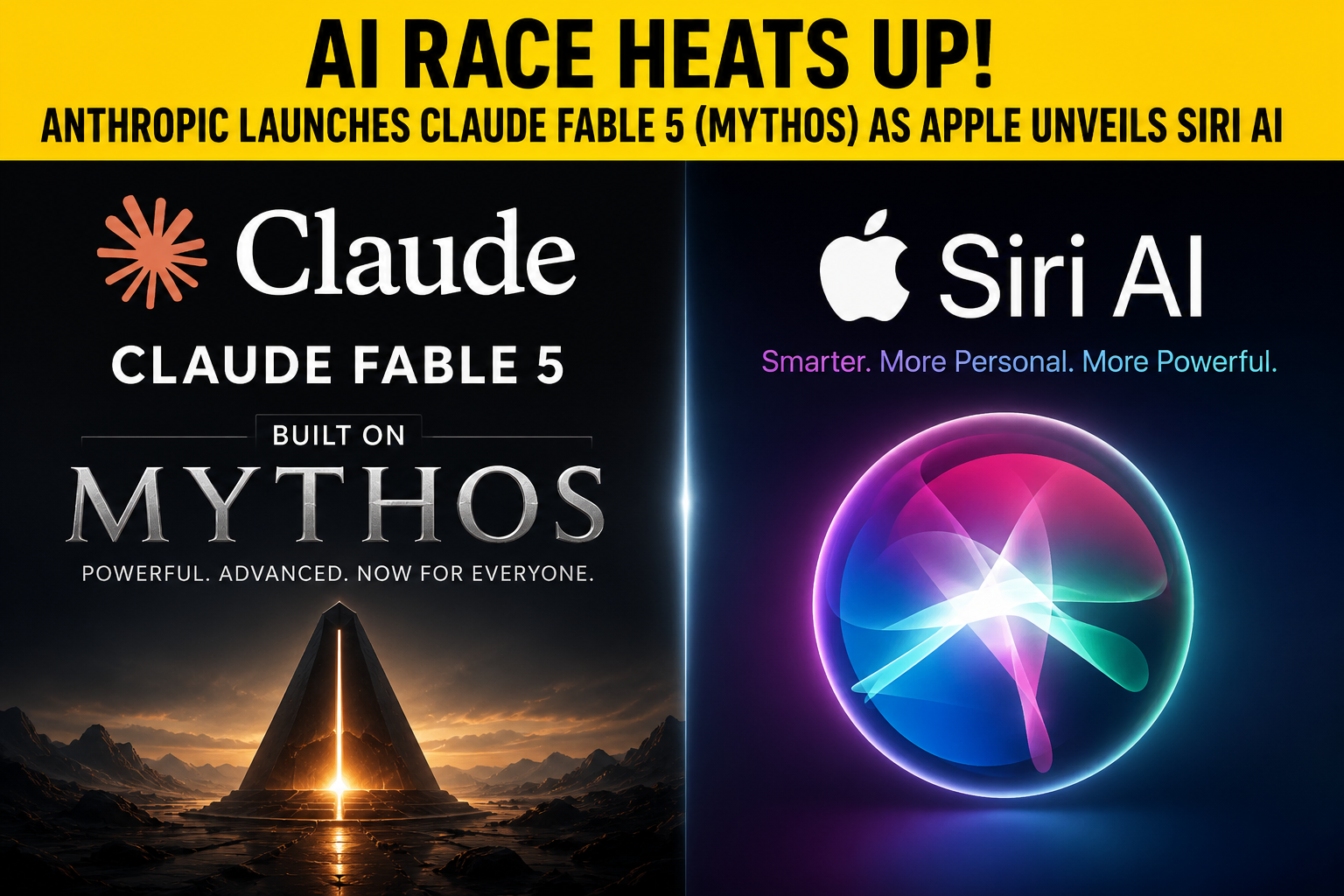
Claude Fable 5 vs Apple Siri AI: What Changed in June 2026
Claude Fable 5 launched June 9, 2026 at $10/$50 per million tokens — 80.3% on SWE-Bench Pro. Here's how it compares to Apple's rebuilt Siri AI and what both launches mean.
Claude Opus 4.5 vs 4.6 vs 4.7: Should You Upgrade? [Full Benchmark Comparison]
Opus 4.7 scores 87.6% on SWE-bench (up from 80.9% on 4.5). But the new tokenizer can cost you more. Here's exactly which version you need and whether upgrading is worth it.
Let's build together
Let's build something that moves your business forward.
Tell us about your project and get a free, no-obligation estimate from our engineering team — typically within one business day.